Multi-lane timeline
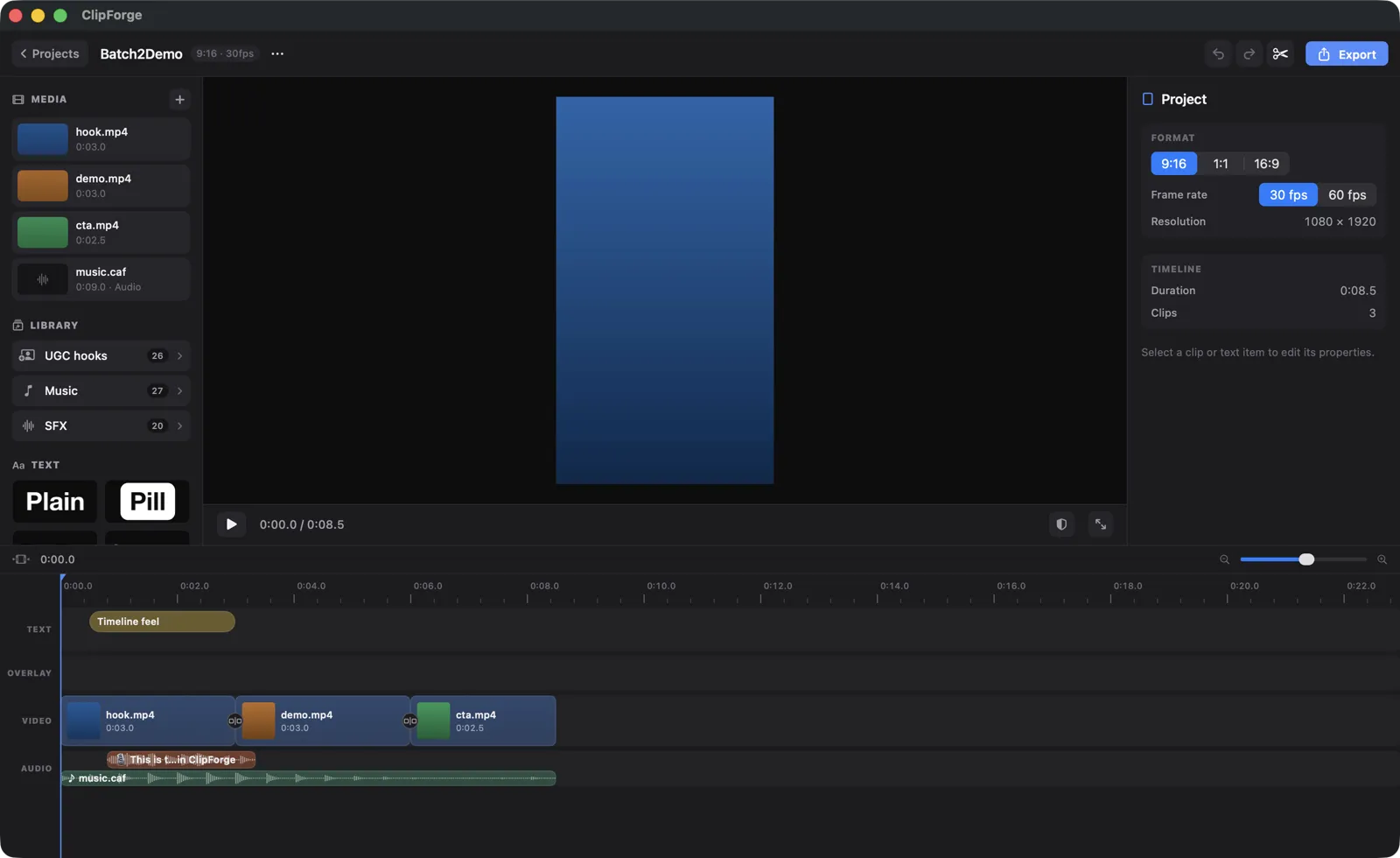
Text, overlay, video and audio lanes with trim, split, move, duplicate and copy-paste. Multi-select, replace media in place, and undo/redo across everything — including edits made by AI.
Every feature in ClipForge exists to get an indie developer from screen recording to posted TikTok ad — by hand on a real timeline, or with an AI agent driving.
The editor
ClipForge is a native Mac app with a serious multi-lane editor underneath the AI — because a first draft is only useful if you can polish it.
Text, overlay, video and audio lanes with trim, split, move, duplicate and copy-paste. Multi-select, replace media in place, and undo/redo across everything — including edits made by AI.
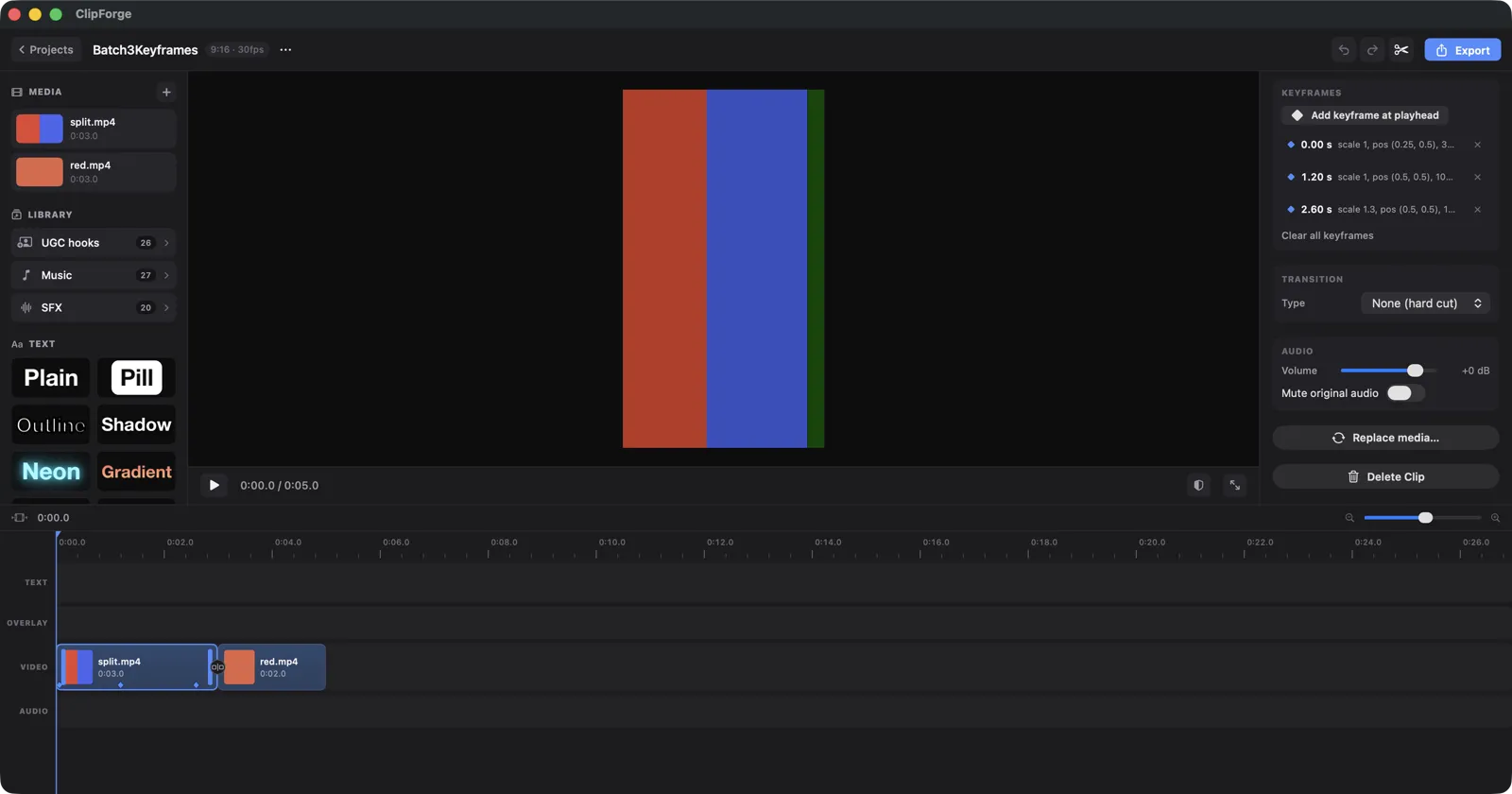
Animate position, scale, rotation and opacity with eased keyframes — emphasis zooms, slides and reveals without leaving the inspector.
0.25×–4× per-clip speed with pitch-preserved audio, frame-step nudging and JKL transport for landing cuts on the exact frame.
Per-clip crop with aspect presets (free, 1:1, 9:16, 16:9), flip and rotate, fit or fill — plus image clips with duration control for screenshots.
Transitions between clips, Ken Burns motion presets for stills and screen recordings, and color-grade presets that keep footage consistent.
Snap to clips, the playhead — and to music beats. Audio waveforms render on every clip so you can see exactly where the drop lands.
Voice, captions & sound
Short-form is watched with the sound on. ClipForge handles the voice, the words on screen and the music — entirely on-device.
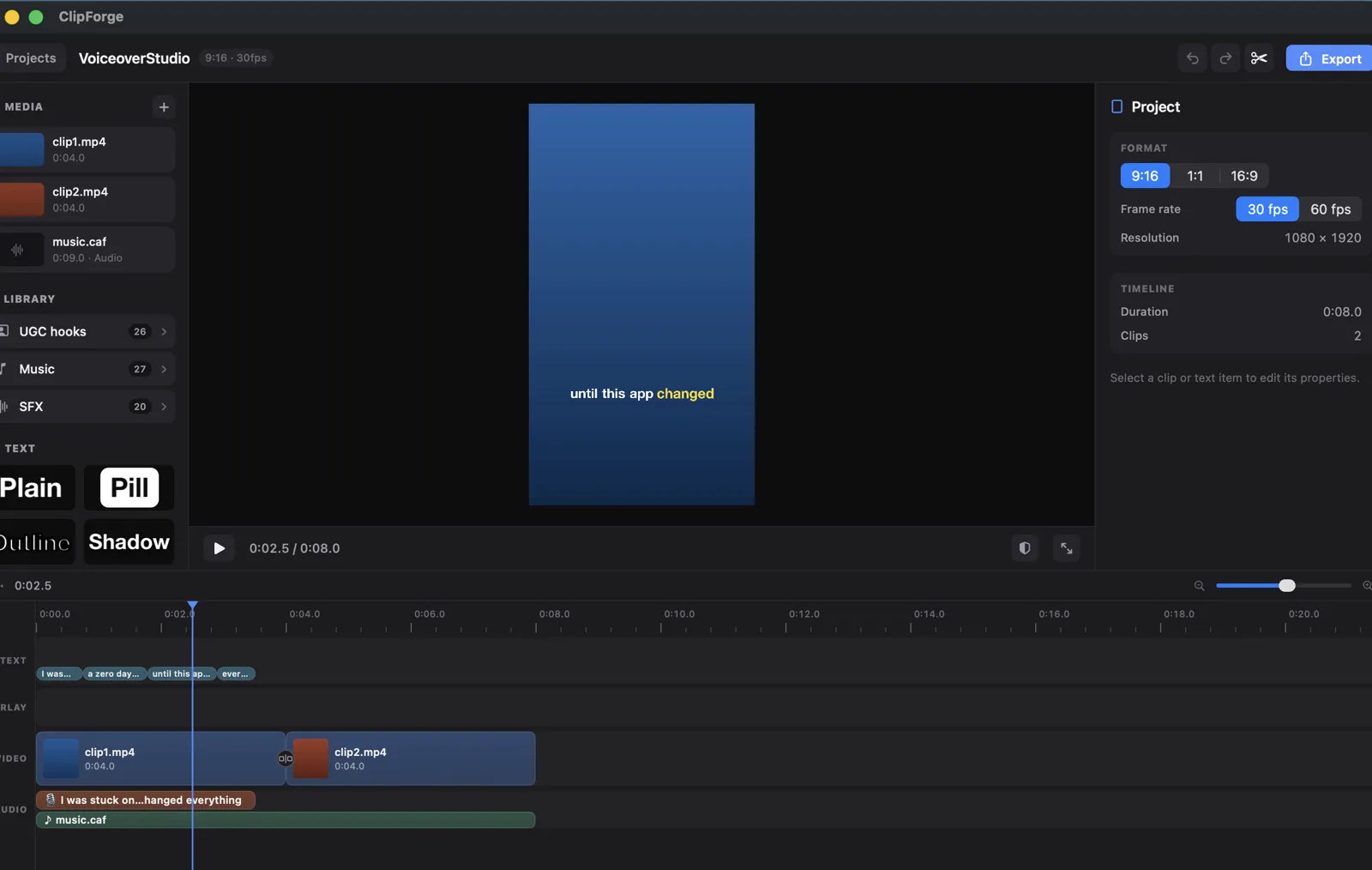
Text-to-speech that runs on your Mac — free, offline, private. Captions are synced word-for-word from the TTS engine's own timings, not from transcription guessing afterwards.
Music dips under the voiceover and rises back automatically, so speech always reads clearly over the track.
On-device speech recognition with word-level timestamps drives TikTok-style captions — word-highlight and karaoke rendering, editable word by word.
Plate, outline and shadow caption styles plus built-in WCAG contrast linting. Captions land inside the TikTok safe zone by default.
Bundled royalty-free music and sound effects, tagged and searchable, licensed for the videos you export. Pick a vibe, not a lawyer.
Volume and mute per clip, waveforms on every pill, and a dedicated audio lane for music and SFX.
The accelerators
The features that turn a Mac video editor into an app-ad machine: content that's already made, an agent that assembles it, and gates that catch weak ads before you post them.
App name + pitch + screenshots + brand color in; a complete hook–proof–CTA ad out, with palette derived, voiceover synthesized and music and SFX placed.
check_ad scores pacing, hook strength, CTA and audio dynamics; check_legibility lints caption contrast against WCAG. Weak spots are named, not vibes.
Every editor feature has an MCP tool, so Claude Code or any MCP client can drive ClipForge end-to-end — including headless export to a folder you authorize.
Short creator-style clips indexed by description, role and mood — the proven openers of TikTok-style ads, ready to drop in front of your demo.
1080×1920 presets tuned for TikTok, Instagram Reels and YouTube Shorts, rendered on-device with AVFoundation.
Sign in and your lightweight project files sync to the cloud; work as a guest and everything stays local. Raw footage never leaves your Mac either way.
See how Claude Code drives ClipForge through its MCP server, or download ClipForge from the Mac App Store.